एंड्राइड मोबाइल में स्क्रीनशॉट कैसे लेते है – Mobile Phone Screenshot
बहुत बार हमने देखा है की लोग अपने mobile screen का screenshot whatsapp पर या mail से भेजते है | क्या आपने सोचा है की mobile का screenshot लेने का easy method क्या है | Android OS मे screenshot लेना बहुत easy हो गया है क्योकि ये feature android के सभी नए versions के साथ integrate हो गया है इसलिए ही आप अपने mobile और tablet पर simple तरीके से screenshot capture कर सकते है और वो भी बिना किसी third party software के |
Screenshot मे आप अपने mobile की current screen capture कर सकते है वैसे तो screen capture के लिए बहुत सरे third party tools है jinko use करके आप screen capture मे बहुत सारे option utilize कर सकते है लेकिन सबसे simple method बिना किसी third party app के android provide करता है |
Android 4.0 and उसके ऊपर के सभी versions के लिए –
Ice Cream Sandwich जो की android का 4.0 version है, मे आप अगर आपको स्क्रीनशॉट लेना है तो आपको right side मे दिए गए power button and volume का down button साथ साथ मे press करना होगा | जैसे ही आप ये दोनों button एक साथ मे press करते है आपके mobile का current screenshot, mobile के gallery मे save हो जाता है | जैसे ही आप ये दोनों button एक साथ press करते है आपको एक camera click की sound सुनाई देगी एवं screenshot का image flash होगा | इसका मतलब mobile का screenshot capture हो कर image gallery मे save हो गया है |
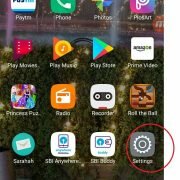
Mobile phone Screenshot
Read Also – ROM and RAM use in smartphone
Read Also – What is Smartphone
Android 4.0 के पहले and बाद के कुछ versions मे mobile manufactures ऊपर बताये गए option के आलावा कुछ अलग options अपने users को provide करते है | Mobile phone मे स्क्रीनशॉट लेने के कुछ popular methods निचे दिए गए है –
- आपके mobile मे Home Button + Power Button को एक साथ press करने पर |
- 3 seconds तक power button press करके रखने पर power off के साथ screen capture का option मिल सकता है |
- Mobile की screen पर अगर आप अपनी हथेली से right to left touch करते हुए move करते है तो mobile की current screen का स्क्रीनशॉट हो जाता है |




Please continue to post such an informative blog. Therefore, people like us will be motivated in real life.
I’m new in this area and I’m building my website, I’m working hard on this
Your blogs are very useful here and especially to this blog, which provide this point information, I have received lots of help to read this blog post, please continue to share this kind of information.
I enjoy reading your article a lot.
I will read more of your other articles.
Keep writing.
Thank you.