10 Most Popular Windows Networking Commands PDF, basic networking commands, windows command line system administration
1. Ipconfig – Internet Protocol configuration
Syntax
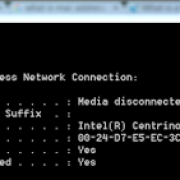
IPCONFIG /all Display full configuration information.
IPCONFIG /release [adapter] – Release the IP address for the specified adapter.
IPCONFIG /renew [adapter] – Renew the IP address for the specified adapter.
IPCONFIG /flushdns – Purge the DNS Resolver cache.
IPCONFIG /registerdns – Refresh all DHCP leases and re-register DNS names.
IPCONFIG /displaydns – Display the contents of the DNS Resolver Cache.
2. Nslookup – This is one of popular Windows networking commands. This command allow a user to resolve or look up an IP Address of domain or host on the network.

Windows commands
3. Nbtstat – Nbtstat can be used for NetBIOS over TCP/IP. Its primary design is to displays statistics and names information used by NetBIOS over TCP/IP (NetBT) connections.
4. Chkdsk – This command is short for Check Disk. This command checks file system for any error and repair file system error.
Read more – Top 10 windows MS Dos commands
Read More – Top Cisco Commands
5. Ping – This command can be used to test network connection between two connected devices. It checks and verify that particular IP address exists.
6. SFC – SFC stands for system file checker. This scans and verifies system files and repair if files are corrupted.
7. Pathping – It can be used to identify network latency and network loss for each router and link in the path. This combines the functionality of PING and TRACERT.
8. Tracert – Traceroute is a command which show packet path. It determines the route to a destination by sending ICMP echo packets to the destination. So purpose of this utility is to show you the path your traffic takes when you are attempting to connect to another machine and to displays the delays that occur at each stop.
9. Route – It can be used to manually configure the routes in the routing table.
10. Getmac – Returns the media access control (MAC) address of network device.
Read more – Top 10 windows MS Dos commands
Read More – Top Cisco Commands