Stop Copying content, How to Disable /Stop Copy Paste content from your Blogger Blog, Prevent from Copying Your Content from Blogger
Stop Copying content : You might have faced this issue that people copy your blog post content and use it for their own purpose. They might use stolen content on their website or for other commercial purpose. Now don’t worry we will provide a way which you can implement on your blog and prevent them. Follow steps –
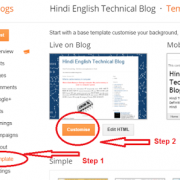
Step 1 – Login to your blogger account and go to Layout –

Step 2 – Once you click Layout tab, it will show many options – select “add a gadget” – In the Gadget, select select ” HTML/Java Script” –

Step 3 – In the box- copy and paste content – (see below)
<!—start of prevent copy paste content–>
<script
src=”demo-to-prevent-copy-paste-on-blogger_files/googleapis.js”>
</script><br /><script type=”text/javascript”>
if (typeof document.onselectstart!=”undefined” ) {
document.onselectstart=new Function (“return false” ); } else{
document.onmousedown=new Function (“return false” );
document.onmouseup=new Function (“return true” ); }
</script>
<!—start of prevent copy paste content–></!—start></!—start>

Step 4 – save this and visit your blog. You will find that you can not right click anywhere on the blog content.